

SOFTWARE · 12th Aug 2025
Mastering the Design Principles of UI/UX in Smart Wearables
Discover how great UI/UX transforms smart wearables into indispensable tools, with design strategies, constraints, and real-world insights from Avantari's Dhyana.
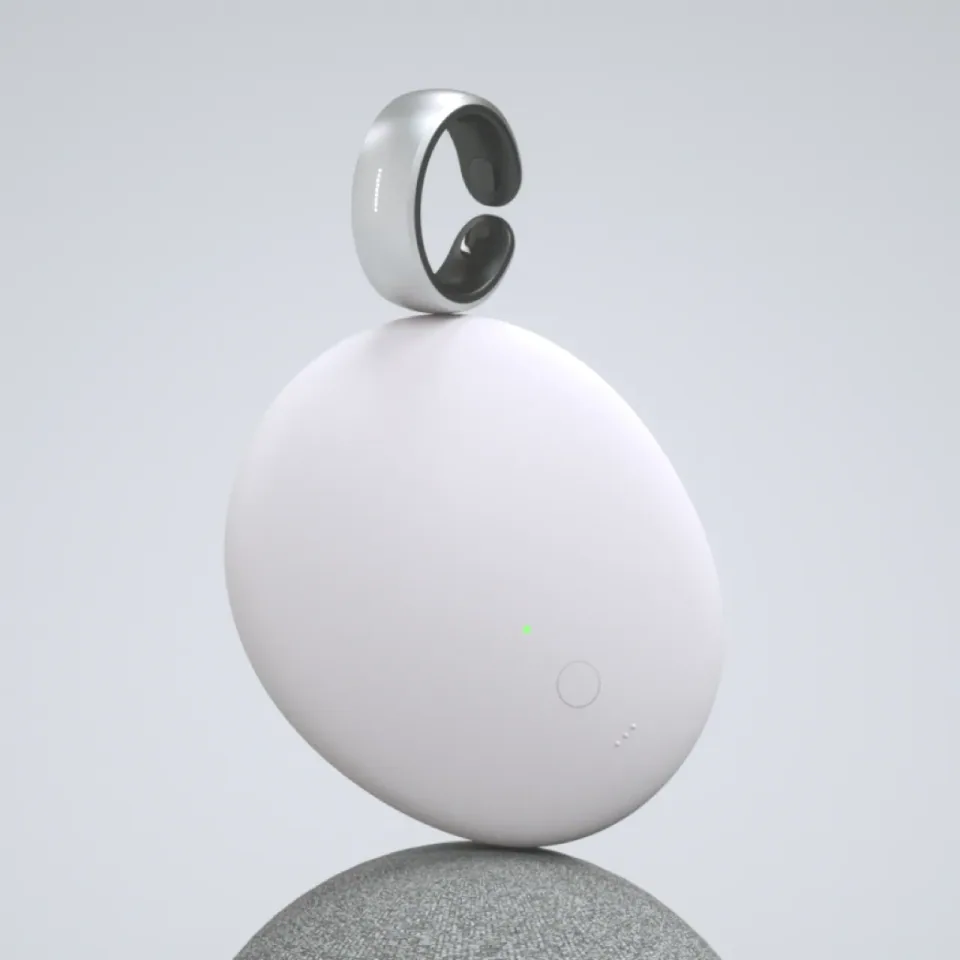
The success of consumer electronics hinges on more than just powerful processors or sleek hardware. When users interact with smart wearables, their experience depends entirely on how intuitive and seamless the interface feels. A fitness tracker with confusing navigation will gather dust in a drawer, while a meditation device with thoughtful UI/UX design becomes an essential daily companion.
The design principles of UI/UX take on heightened importance in this context. Designers must balance functionality with simplicity, ensuring that complex features remain accessible through minimal interface elements. This challenge demands a deep understanding of user behavior, technical limitations, and the specific contexts in which wearable devices operate.
Why UI/UX Design Matters in Consumer Electronics
Consumer electronics live or die by user adoption. Technical specifications might capture attention in marketing materials, but the user experience determines whether a device becomes indispensable or ends up forgotten in a drawer.
Poor interface design creates immediate friction. Users struggling to navigate basic functions quickly develop negative associations with the entire product. This frustration compounds when devices fail to deliver on their core promises due to usability barriers rather than technical limitations.
Successful consumer electronics anticipate user needs and remove obstacles before they arise. The interface becomes invisible, allowing users to focus on their goals rather than figuring out how to operate the device. This seamless experience builds trust and encourages continued engagement.
Market research consistently shows that user experience ranks among the top factors influencing purchasing decisions for consumer electronics. Devices with superior UI/UX design command premium pricing and generate stronger customer loyalty. Companies investing in thoughtful interface design see measurable returns through reduced support costs, higher user satisfaction scores, and increased word-of-mouth recommendations.
Core UX Challenges in Wearable Device Design
Wearable devices present unique design constraints that don't exist in traditional consumer electronics. Screen size limitations force designers to prioritize essential information while hiding secondary features behind intuitive navigation patterns.
Physical interaction methods require careful consideration. Touch screens on small devices can suffer from accuracy issues, especially when users wear gloves or have wet hands during exercise. Button placement must account for different wrist sizes and wearing preferences while remaining accessible during various activities.
Battery life concerns directly impact UI/UX decisions. Every visual element, animation, and background process affects power consumption. Designers must balance engaging experiences with energy efficiency, often leading to creative solutions like simplified color palettes or motion-activated displays.
Context switching presents another significant challenge. Wearable users frequently multitask, checking their device while walking, exercising, or engaged in other activities. Interfaces must communicate information quickly and clearly, even when users can only glance at the screen for a few seconds.
Environmental factors complicate the design process further. Outdoor lighting conditions can make certain color combinations illegible, while water resistance requirements may limit available materials and input methods. Successful wearable UI/UX design accounts for these real-world usage scenarios from the initial concept phase.
The Dhyana App: A Case Study in Wearable UI/UX Excellence
Avantari's approach to designing the Dhyana meditation app demonstrates how thoughtful UI/UX principles can transform complex functionality into an intuitive wearable experience. The team faced the challenge of creating a comprehensive meditation platform that could operate effectively on devices with minimal screen space and limited interaction capabilities.
The design team began by identifying core user journeys through extensive research and user interviews. They discovered that meditation practitioners needed quick access to session controls, progress tracking, and breathing guidance without complicated menu navigation. This insight shaped every subsequent design decision.
Visual hierarchy became crucial in the constrained interface. The team developed a layered information architecture that presented the most critical elements prominently while keeping secondary features easily accessible through simple gestures. Color coding and iconography helped users quickly identify different meditation types and session lengths.
The breathing guidance feature exemplifies smart wearable design. Rather than displaying complex instructions, the app uses subtle vibration patterns synchronized with visual cues to guide users through proper breathing techniques. This approach works effectively even when users close their eyes during meditation, addressing the unique context in which the app operates.
Progress tracking required careful balance between providing meaningful feedback and avoiding overwhelming detail on small screens. The design team created a simplified dashboard that highlights key metrics while allowing users to access detailed analytics through connected smartphone apps when desired.
Design Iteration Process and User Testing
Effective wearable UI/UX design demands extensive iteration and testing with real users in authentic contexts. Laboratory testing, while valuable, cannot fully replicate the dynamic environments where wearable devices operate.
Prototype testing should begin early in the design process, even with low-fidelity mockups. Paper prototypes help validate basic navigation concepts before investing resources in digital implementations. This approach allows designers to quickly test multiple interaction patterns and identify potential usability issues.
User testing for wearables requires creative methodologies. Traditional think-aloud protocols may not work well when users need to focus on physical activities while using the device. Observational studies, post-session interviews, and biometric feedback can provide valuable insights into user experience quality.
Accessibility testing becomes particularly important for wearable devices. Users with different physical abilities, vision levels, and motor skills must be able to operate the interface effectively. Testing with diverse user groups helps identify barriers that might not be apparent to the design team.
Iterative refinement should focus on reducing cognitive load and minimizing required interactions. Each design cycle should eliminate unnecessary steps, simplify complex processes, and improve the overall flow between different app functions.
Essential Tips for UI/UX Success in Electronic Products
Start with user research rather than technical capabilities. Understanding how, when, and why people will use your device provides the foundation for all design decisions. Technical features should serve user needs, not drive the interface design.
Embrace constraints as creative opportunities. Limited screen space forces designers to focus on essential elements and eliminate clutter. Battery limitations encourage efficient, purposeful interactions. These restrictions often lead to more elegant solutions than unlimited resources would produce.
Design for glanceability in wearable interfaces. Users should be able to extract key information within seconds of looking at the screen. Hierarchy, contrast, and clear typography become critical for quick comprehension.
Consider the entire ecosystem when designing wearable experiences. Most devices connect to smartphones or other platforms, creating opportunities to distribute functionality appropriately. Complex configuration can happen on larger screens while immediate interactions remain streamlined on the wearable device.
Test early and test often with actual hardware. Emulators and desktop mockups cannot replicate the tactile experience of using small screens with different lighting conditions and physical orientations. Regular testing with prototype hardware reveals usability issues that might otherwise go unnoticed.
Prioritize consistency across all interface elements. With limited screen space, users rely on predictable patterns to navigate efficiently. Consistent button placement, color usage, and interaction methods reduce cognitive load and improve overall usability.
Building Tomorrow's Wearable Experiences
Smart wearables continue evolving rapidly, presenting new opportunities and challenges for UI/UX designers. Success in this space requires deep empathy for user needs, creative problem-solving within technical constraints, and relentless focus on simplicity and effectiveness.
The design principles of UI/UX in consumer electronics product design will continue expanding as new form factors and interaction methods emerge. Voice interfaces, gesture recognition, and haptic feedback create additional channels for user communication, but the fundamental goal remains unchanged: creating seamless, intuitive experiences that enhance rather than complicate users' lives.
Start applying these principles to your next wearable project by conducting thorough user research, embracing design constraints as creative catalysts, and testing extensively with real users in authentic contexts. The future of wearable technology depends on interfaces that disappear into the background, allowing users to focus on achieving their goals rather than fighting with their devices.

NEWSLETTER
We write when we’ve actually built something.