
AI · 5th November 2026
Why Your AI Avatar Feels Slow: Where the Milliseconds Actually Go

You stand in front of the avatar, ask a question, and then there is a pause. Not a long one. Maybe a second and a half. But it is long enough that you glance at the screen to check whether the thing heard you, and by the time it starts speaking you have half decided it is broken.
Response time can make a convincing avatar feel unresponsive. This article explains where the pause comes from. It is written for people choosing or specifying a live avatar for a public space, and for technical leads judging which design choices matter.
What counts as slow
Human conversation is a useful reference, but an avatar's response depends on its task, the visitor, the room and the way the system is built. A useful test measures the time from the end of the visitor's speech to the first audible reply.
Agree a response-time target for the actual venue and test it under realistic conditions. Report the typical result alongside a slower-response measure, such as the time within which 95% of replies begin. Record the slowest observed reply separately: a 95th-percentile figure is not the worst case.
An avatar also has a visible response to coordinate with the voice. Mouth movement that falls out of step with the sound can make the exchange feel wrong, even when the words arrive quickly.
The five places the time goes
Several stages contribute to the pause, and the fix for each is different. Network trips and audio buffering also affect the time the visitor experiences.
1. Deciding that you have finished speaking
The system has to work out that your sentence is over. This is called endpointing. Its timing depends on the turn-detection method, the speaker and the noise in the room.
The naive approach waits for a fixed period of silence. Set it short and the avatar interrupts people who pause mid-thought, which feels rude. Set it long and every answer arrives late. Better systems judge whether the sentence sounds finished rather than simply counting silence. In a noisy hall the problem compounds, because background noise makes silence harder to detect at all.
2. Turning speech into text
Speech recognition turns the spoken question into text. Many systems stream partial results while the visitor is still speaking, so some of this work overlaps with turn detection rather than starting after it.
3. The model deciding what to say
The model's time to its first usable output can be a substantial and variable part of the delay. What matters for a spoken reply is when the system has enough reliable text to begin speaking, rather than when the full answer is complete. Model choice, context length, tools, server load and available computing capacity all affect this.
Long conversation histories can increase processing, depending on caching and the model setup. Looking up a collections database or a flight system can also add time before the system has enough information to answer.
4. Turning text into a voice
Speech synthesis turns the reply into audio. With streaming, playback can begin before the entire answer is generated. Without it, the system may wait for more text or the complete audio file. The actual gain depends on the service, the text, the network and playback buffering.
5. The face
This is the stage that belongs to avatars alone, and the one general voice-agent guidance ignores. The audio has to drive facial movement, the mouth shapes have to match the sounds, and the result has to be rendered and displayed. Do it on a server and you add network time in both directions. Do it on a machine inside the kiosk and you pay for the hardware instead.
Lip-sync accuracy is only part of the experience. Eye movement, expression and how the face behaves while listening or preparing a reply also matter. Ask to see these behaviours together with audible playback in a realistic demonstration.
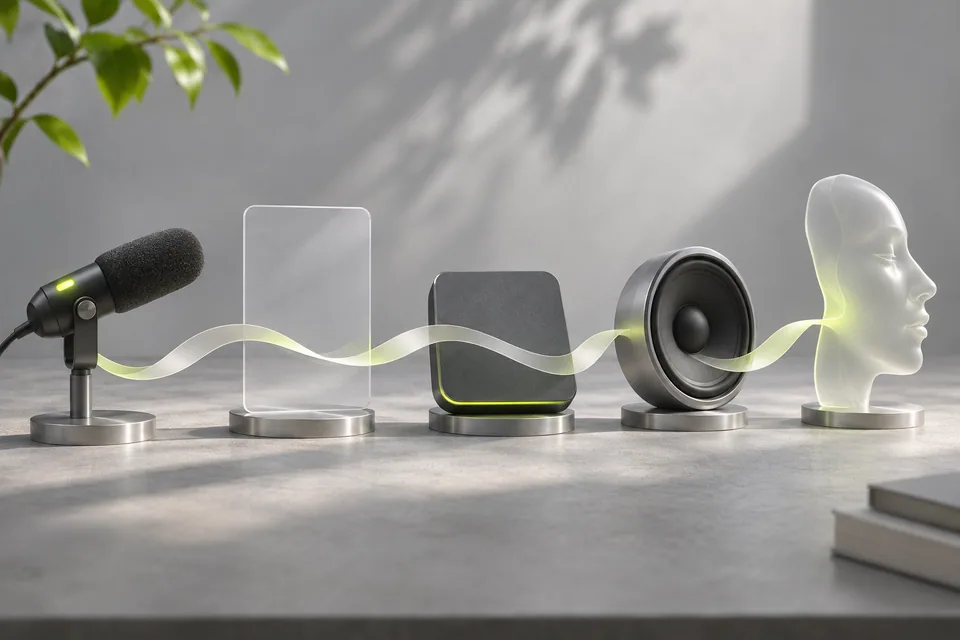
- Hear the end of the question
- Detect the end of a turn without cutting the visitor off.
- Recognise the words
- Turn speech into text; some recognition can happen while the visitor speaks.
- Prepare the answer
- The model may also need to look up information before it can answer.
- Start the voice
- Streaming can play the beginning while more audio is being prepared.
- Move the face
- Coordinate the visible response with the audio the visitor hears.
Conceptual flow, not a measured timing chart. Network trips and playback buffering also contribute to the delay.
Why sequential pipelines fail and overlapping ones work
Running the stages one after another adds delay. Streaming can overlap some of the work: speech recognition prepares text during the question, the model emits usable text, synthesis prepares audio and the face is coordinated with playback. The amount of overlap depends on the architecture; it should be measured rather than assumed.
A slow installation may use capable components but wait for one stage to finish before beginning the next. Inspect those handoffs before assuming that replacing a model will solve the whole problem.
What cannot be engineered away, and what to do instead
Some delay is irreducible. The honest response is to design for it rather than pretend it is not there.
- Show that it is listening. A visible change when speech is detected helps visitors understand that the system heard them.
- Acknowledge a longer wait when it helps. A brief, relevant acknowledgement can make a slow lookup understandable, but it should not disguise uncertainty or replace the answer.
- Keep the face alive. A face that freezes while the system thinks reads as broken. Small idle movement keeps the pause feeling like thought rather than failure.
- Let people interrupt. If someone starts speaking again, the avatar should stop. Systems that talk over visitors feel far worse than systems that are slightly slow.
- Do not fake it with filler. Repeated "let me think about that" phrases are charming once and irritating by the third visitor.
What to ask a vendor, and what to measure
- What are the typical, slower and slowest observed response times, measured from the end of speech to audible playback? Ask which tasks, network conditions and number of test turns produced those results.
- Which stages are streamed and which are not, particularly speech synthesis.
- Where does each stage run: in the kiosk, in a local server, or in the cloud?
- What happens to response time when the venue network is congested or drops?
- How is facial animation synchronised, and what does the face do while the system is thinking?
- Can we test it in our own space, at our busiest hour, before committing?
Then measure it after installation, not just at acceptance. Response time drifts as content grows, conversations lengthen and providers change their infrastructure. A system that was quick in week one is not necessarily quick in month six.
The cloud, the kiosk, or both
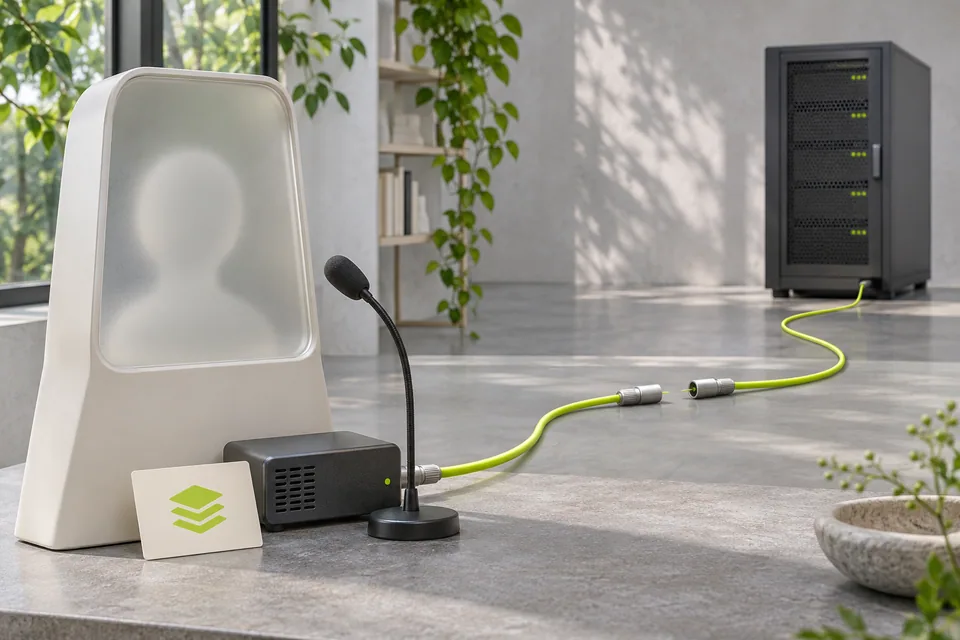
Running selected stages on hardware inside the kiosk can remove some network trips. Offline operation also requires the necessary models, content and other dependencies to be available locally. Local processing adds hardware and maintenance needs and limits the models the machine can run. Cloud services can be easier to update and scale, but introduce network and service dependencies.
One possible arrangement keeps recognition, synthesis or fallback answers near the visitor and uses remote services for heavier processing. The right split depends on the network, data requirements, hardware budget and what the installation must still do during an outage.
- At the installation
- Microphones, playback and display need to suit the actual room.
- On nearby hardware
- Selected processing and stored content can reduce dependence on the venue connection.
- On remote services
- Remote models and information sources need a reliable connection and a tested fallback.
An example architecture, not a statement about the current HoloBot setup. Offline operation depends on which functions and content are available locally.
How we think about it at Avantari
We build avatars as a hardware and software problem together. The microphone setup affects how well speech and turn detection work in a loud room. Computing, rendering and playback choices affect the visible reply. These decisions need to be tested together in the intended setting.
In our own testing of HoloBot, across around 1,000 test conversations, the typical time from the end of the visitor's speech to the first audible reply was around 0.3 seconds. That is a typical figure: the slower replies, and the result in a particular venue, still need to be measured for each installation.
If you are evaluating avatars more broadly, the companion piece on the eight decisions to make before commissioning one covers the room, the content and the disclosure requirements alongside speed.
Frequently asked questions
What is a good response time for an AI avatar?
There is no single response time that suits every avatar and task. Agree a target for the intended setting, measure from the end of speech to the first audible reply, and report typical, slower and slowest observed results. Test interruptions and lookups as well as straightforward answers.
Why does the avatar pause even when the answer is simple?
Some work happens before the model begins answering, including deciding that the visitor has finished speaking. Transcription, network trips, audio generation and playback can also add delay, even when the eventual answer is simple.
Does a faster or larger AI model fix it?
Only partly. The model is usually the biggest single stage, but what matters is time to its first word rather than its total speed, and a sequential pipeline will feel slow regardless of how good the model is. Streaming and overlapping the stages usually buys more than swapping models.
Will running everything on-site make it faster?
Local processing can remove some network trips, but it does not automatically make every stage faster. Offline operation requires local models, content and dependencies. Compare the actual hardware, network, maintenance needs and required fallback functions.
Why does the avatar's mouth look slightly wrong even when the timing is right?
Lip sync is one part of the visible response. Expression, eye movement, listening behaviour and the timing of playback also affect how natural it feels. Test the complete experience rather than mouth movement alone.
How do we test response time before buying?
Test in your own space at your busiest hour, ask the same fifteen questions repeatedly, and time from the end of your question to the first sound. Record the slowest result as well as the typical one, since that is what visitors will remember.
Bring us the room, not just the brief
If you are weighing up an avatar for a public space, tell us about the room, the network and the questions it will have to answer. We can review the setup with you and agree what should be tested. Talk to Avantari.